

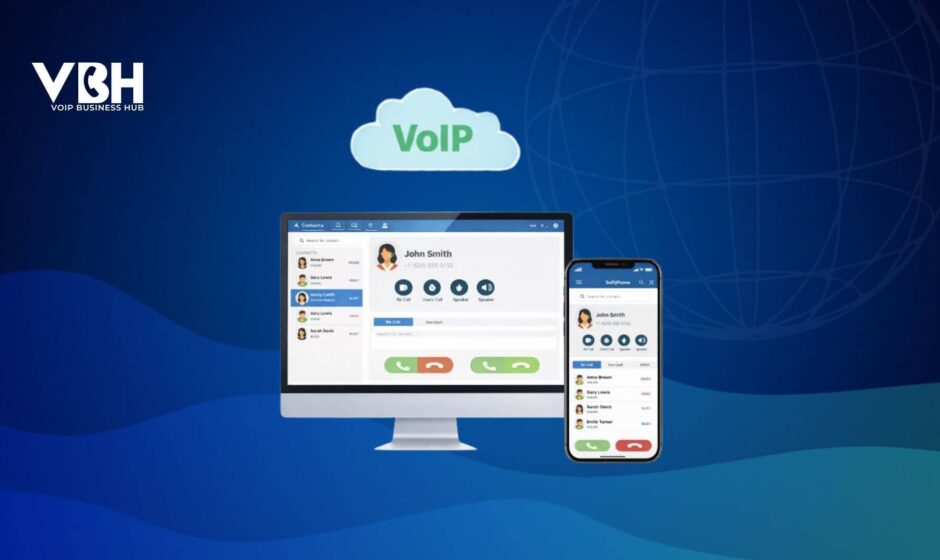

Your business communication does not need to stay limited to a dial tone. A VoIP softphone turns laptops and mobiles into a complete business telephony system, combining “deskphone-like” reliability with the flexibility of a modern SaaS calling platform.
This blog covers the non-negotiable features a softphone must have, spanning across call quality, security, integrations, ownership, and management.
Key Softphone Features Every Business Should Demand
A softphone is not just a calling app. It is a core layer of your unified communications stack. These are the essential capabilities every UCaaS softphone should offer.
1. Core Communication Features
A VoIP softphone should replicate the capabilities of a business phone system. It must have:
- High-Quality Voice & Video Calling: Support for HD voice and video codecs. Wideband audio codecs like Opus or G.722, along with video codecs, ensure clear conversations and visuals, with features such as screen sharing and recording.
- Messaging and Team Chat: Softphones include built-in 1:1 and group messaging, presence (availability status) indicators, and file sharing. Many also support SMS/MMS alongside in-app chat, depending on your telephony provider.
- In-Call Management: Business-grade softphones should provide all the call controls you’d expect from a desk phone. This includes blind transfer, hold, resume, transfer, forwarding, mute, and other advanced features, such as call flipping between devices.
- Voicemail & Transcription: How missed interactions are handled is just as important as live calls. A good softphone provides voicemail-to-text transcription with/without AI.
- Caller ID and Contacts: Softphones should display incoming caller ID (CNAM) with practical details (name, number, maybe company) so you know who’s calling. VoIP softphone apps offer a contact directory to keep all your conversations in one place.
Modern cloud softphone solutions also include AI call summaries, sentiment analysis, multi-device ringing, 3-way conferencing, and other advanced UC capabilities.
2. Performance and Reliability
A UCaaS softphone must always maintain high performance and ensure on-the-go communication for businesses that want to stay digitally active.
- Voice Quality & Network Optimization: The VoIP dialer app should keep audio clear and stable, even on congested or high-latency networks. Leading solutions expose real-time call quality metrics (such as latency, jitter, and packet loss) and use techniques like jitter buffers and packet-loss concealment to minimize disruption during a call.
- Push Call Service: Softphone apps use push notifications to wake the app for incoming alerts. This ensures reliable call delivery while conserving battery life.
- Centralized Updates: Modern softphones use auto-updaters to keep apps up to date, while admins control rollout windows and which features to consider.
- Cross-Platform Consistency: The softphone should be available on all major platforms, including desktop (Windows, macOS, Linux), mobile (iOS, Android), and, ideally, web browsers (WebRTC-based web apps). Leading softphones can also be downloaded via app stores or clickable links.
For distributed and remote teams, poor-quality or missed calls directly translate into lost deals, frustrated customers, and lower agent productivity.
3. Platform Security & Call Encryption
VoIP softphones must implement robust security, especially for businesses handling sensitive data or meeting compliance requirements.
- Call Encryption in Transit: Ensure the softphone supports encryption protocols like TLS for signaling and SRTP for the audio stream. Quality softphone apps encrypt calls to protect against eavesdropping, interception, or digital data theft.
- User Authentication: Login via SSO, SIP credentials, QR codes, or email OTP to validate softphone accounts, which adds an extra layer of protection.
- Access Control: Role-based access controls should let admins define which users can access call recordings and specific contacts. Through a central admin portal, they can also enforce security settings (password policies, auto-lock, remote wipe, etc.).
- Caller Identity Privacy: Softphones also help maintain personal privacy by keeping employees’ personal numbers hidden. When appropriately configured, the app will always show your business caller ID (company number or extension).
All connections are established via secure transmission protocols, making cloud softphones a more practical choice for regulated businesses such as healthcare and finance.
4. Productivity and Integration
One of the significant advantages of softphones is their ability to boost the productivity of your existing software stack by integrating workforce and sales management tools.
- Integration with Business Software: Softphones often include pre-built or custom APIs to integrate CRM, helpdesk systems, CPaaS tools, and other business applications.
- Automatic Call Logging & Activity Capture: With deep CRM and helpdesk integrations, every call can be logged automatically against the right contact, ticket, or deal, including time, duration, direction (inbound/outbound), and optionally notes or tags.
- Embedded Softphone & Browser Extensions: Many providers let you embed the softphone directly inside your CRM or browser, or offer a Chrome/Edge extension that turns any phone number on a web page into a one-click call.
These integrations turn the softphone into a full UCaaS solution on top of your workflow environment, so calls automatically create context instead of adding more manual work.
5. Customization and Management
Consider features that allow the softphone to fit into your organization’s unique needs and scale over time. These include administration, customization, and scalability features:
- Multi-Account & Multi-Number Support: Softphones support multiple SIP accounts or phone numbers simultaneously. Some softphone apps let users register several accounts (from different VoIP providers or PBXs) and easily switch between lines.
- Provisioning and Administration Tools: Softphone solutions offer auto-provisioning or centralized management. Meaning admins can configure user accounts, settings, and updates from a web portal, rather than manually on each device.
- Customization & Branding Options: Depending on your scenario, you might want the ability to customize the softphone’s appearance or behavior. Some providers offer white-label softphone apps that you can brand with your company’s logo and colors.
The softphone should scale with your business and simplify ongoing management (license management, updates, user permissions, etc.).
A Softphone That Can Actually Replace Legacy Phones
Moving to a softphone isn’t just swapping handsets for headsets. You are choosing the software layer that will sit between your teams and every customer conversation. That decides how easy it is to reach customers, how consistently your brand shows up on every call, and how much of that interaction turns into usable data for sales, support, and leadership to act on.